 wpforge
Music Tracks
Manage a complete music collection from the WordPress admin and publish it anywhere with a modern Plyr-powered audio player. Categorize your tracks, share them on WhatsApp and Instagram, and keep your pages fast: assets load only where the shortcode is.
100% free
GPLv2 or later
Requires PHP 7.4
Translation ready
Features
Your music library, inside WordPress
Music Tracks keeps your audio in the WordPress Media Library and your pages fast. Everything below ships with the free version — all of it fully functional, nothing locked.
Track management
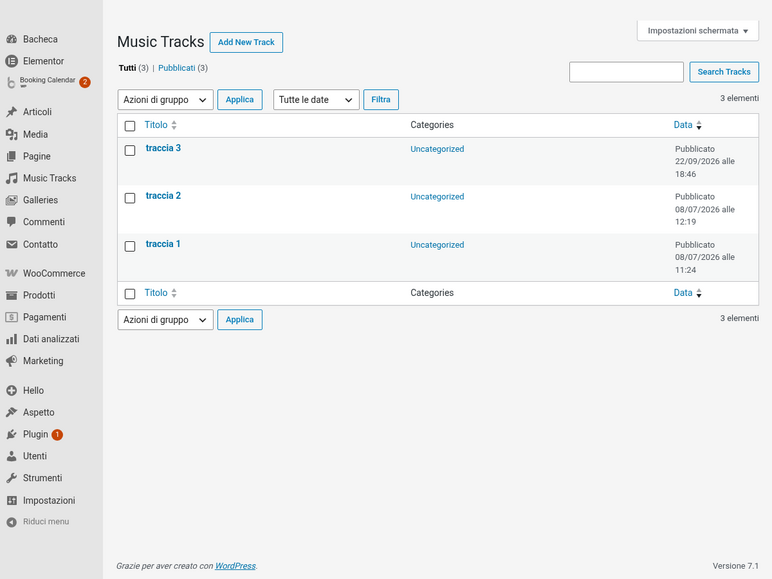
- Custom post type "Music Tracks"
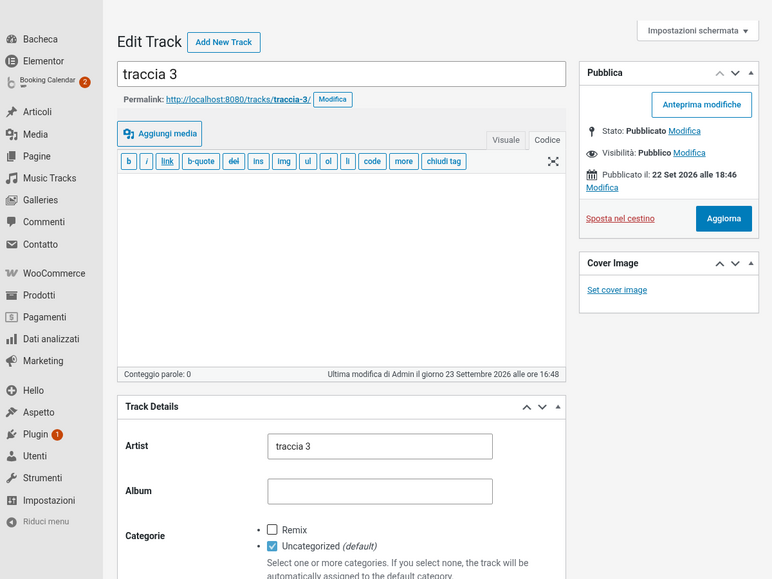
- Artist, album, cover image and audio file
- Upload via the native Media Library
Automatic duration
- Duration detected in the browser on upload
- Saved via AJAX, no manual entry
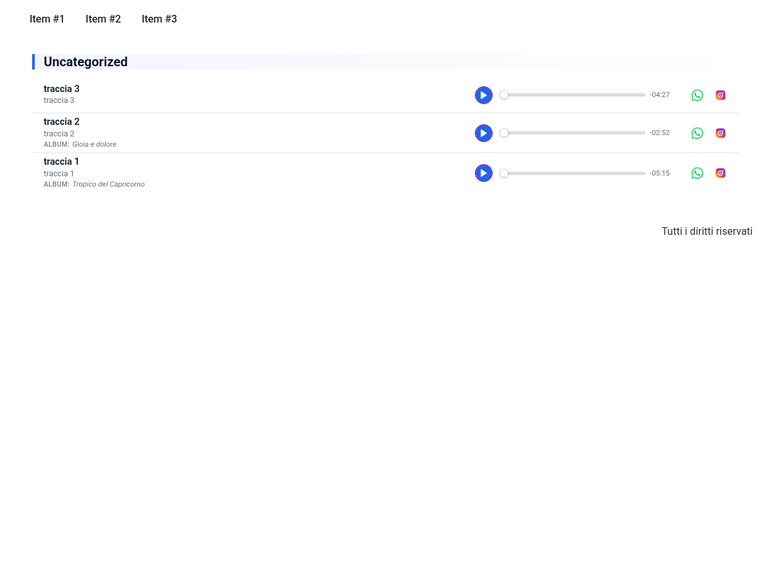
- Displayed next to every track
Modern audio player
- Plyr-powered HTML5 player
- One-at-a-time playback
- List and grid layouts
Categories
- Hierarchical track categories
- Grouped display with section titles
- Category filter via URL parameter
Share buttons
- WhatsApp share for every track
- Instagram via Web Share API with profile fallback
- Accessible inline SVG icons
Developer API
- Filterable shortcode attributes and layouts
- Overridable track markup
- Theme-overridable templates
Screenshots
See it in action
Installation
Live in under a minute
- InstallFrom Plugins → Add New, search for "Music Tracks" and click Install Now.
- Add a trackOpen Music Tracks → Add New, upload the audio file and fill in artist and album.
- Embed itInsert the shortcode [music_tracks] into any page or post.
For developers
A small, stable extension API
Custom layouts
Resolve your own layout with music_tracks_layout and ship its template via music_tracks_template_path — no core edits needed.
Custom track markup
Filter music_tracks_shortcode_atts for new attributes or reuse the whole container output with music_tracks_after_render.